
MU-Komik Kids Mode: A Reading-Space Guide for Children and Parents
Learn about MU-Komik Kids Mode: its curated children’s comic catalog, genre filters, age labels, and how parents can set a PIN and support reading time.
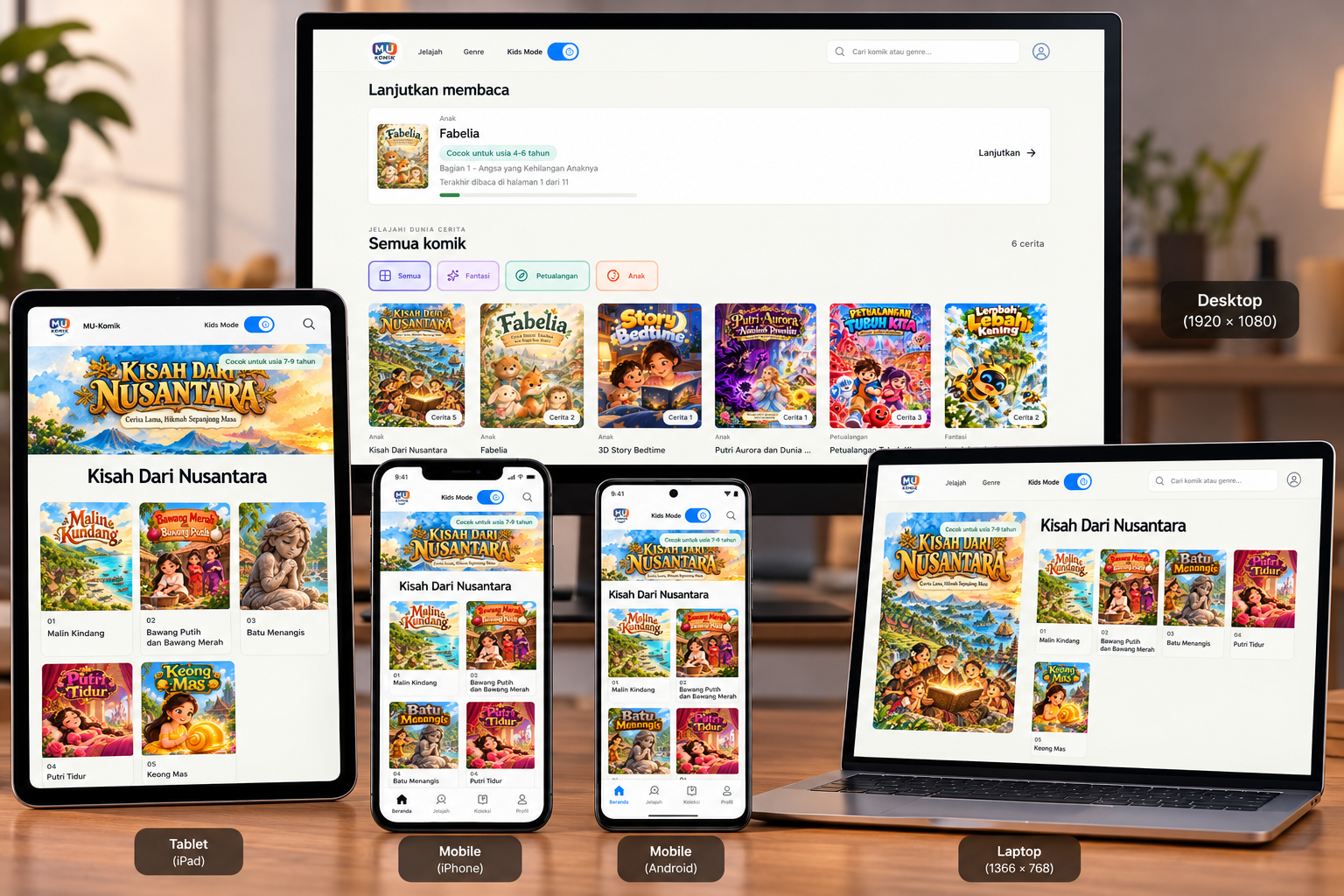
Read comics together with more guided choices
Children enjoy stories in many different ways: some love adventures, some like meeting animal characters, and others want to read about everyday life. Kids Mode on MU-Komik helps families explore a comic catalog curated for a child-friendly experience.
This mode is not a substitute for parental guidance. Here is how it works and what to know before you start reading.
What changes when Kids Mode is on?
When Kids Mode is active, the homepage shows stories selected from a catalog approved for the mode. Comic cards may include an age-range label when that information is available. Reading terms are also simplified—for example, episodes may be called “Parts” or “Stories”—to make them easier for children to understand.
Children can choose a genre using illustrated buttons, then open a comic and its available parts. Treat age labels as a starting point, not the only basis for deciding whether a story is right for a particular child.
How to turn on Kids Mode
- Open the MU-Komik homepage and select the Kids Mode button at the top.
- The first time you set it up, a parent creates a six-digit PIN and enters it again to confirm. Kids Mode turns on once the PIN is saved.
- On later visits, a parent can turn on the mode using the same button.
- To turn it off and return to the general view, enter the parent PIN.
Choose a PIN that is difficult to guess and keep it somewhere safe. Do not share it in front of children or send it in a message. The PIN controls switching Kids Mode; continue to supervise children as they use the device and read comics.
Finding a story
Start with the homepage catalog. Choose a genre that interests the child, or use search if available. Open a comic card to see its details and the list of readable parts. If a title displays an age label, use it as a point of discussion with the child.
Reading together can also be a chance to ask questions: which character do you like, how does the character feel, and what might happen next? Simple conversations like these help children connect stories with their experiences and the values they are learning.
What should parents know?
Kids Mode filters choices using the catalog of comics approved for the children’s mode. Available titles and age information may vary. Curation and age labels provide context, but cannot guarantee that every story is suitable for every child, family, or situation.
Parents should review unfamiliar comics first, consider the child’s age and sensitivities, and invite the child to talk about what they read. Some account pages and general features are also unavailable while Kids Mode is active; turn it off with the parent PIN if you need to access them.
Start with one story
Choose a comic that catches the child’s attention, review its labels and information, and read together. Kids Mode helps families start with a more guided selection of stories—while the final decision about what is appropriate remains with parents and children.
Enjoy finding a favorite story on MU-Komik!